Auto-Translate
Automatically translate every page as you read through a chapter — no button presses needed.
What is Auto-Translate?
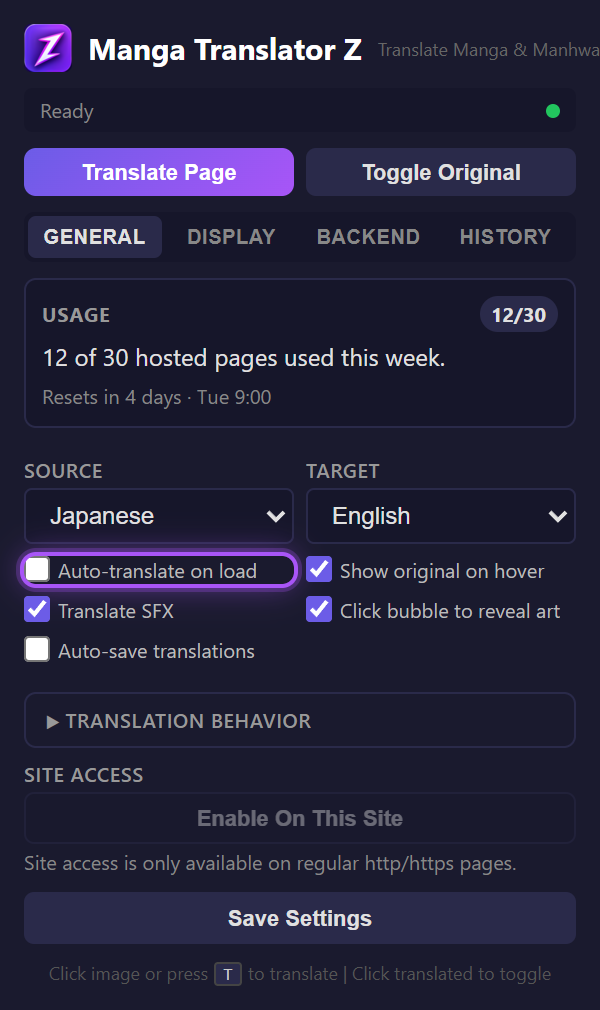
When enabled, the extension automatically detects manga images on every page load and translates them without any user action. Perfect for binge-reading sessions where you want to flip through pages and have everything translated instantly.
Enabling Auto-Translate
- Open the extension popup
- In the General tab, check "Auto-translate"
- Grant site access for the manga reader (the extension will prompt you)
How It Works
- On page load, the content script scans for manga images (at least 150px wide/tall, height/width ratio above 0.4)
- If auto-translate is enabled and site access is granted, translation begins immediately
- SPA readers (single-page apps that change URL without reloading) are supported via MutationObserver watching for URL changes
- Lazy-loaded images are caught by a MutationObserver that watches for new img elements added to the DOM
Table of Contents Detection
If the page contains more than 4 manga-like images, the extension assumes it is a table of contents or chapter listing page and silently skips auto-translation. This prevents wasting API credits on index pages.
Site Access
Auto-translate needs persistent site access (not just temporary tab access). Grant access per-site from the popup's "Enable On This Site" button. You can always translate on demand with T without granting site access.