Bubble Detection
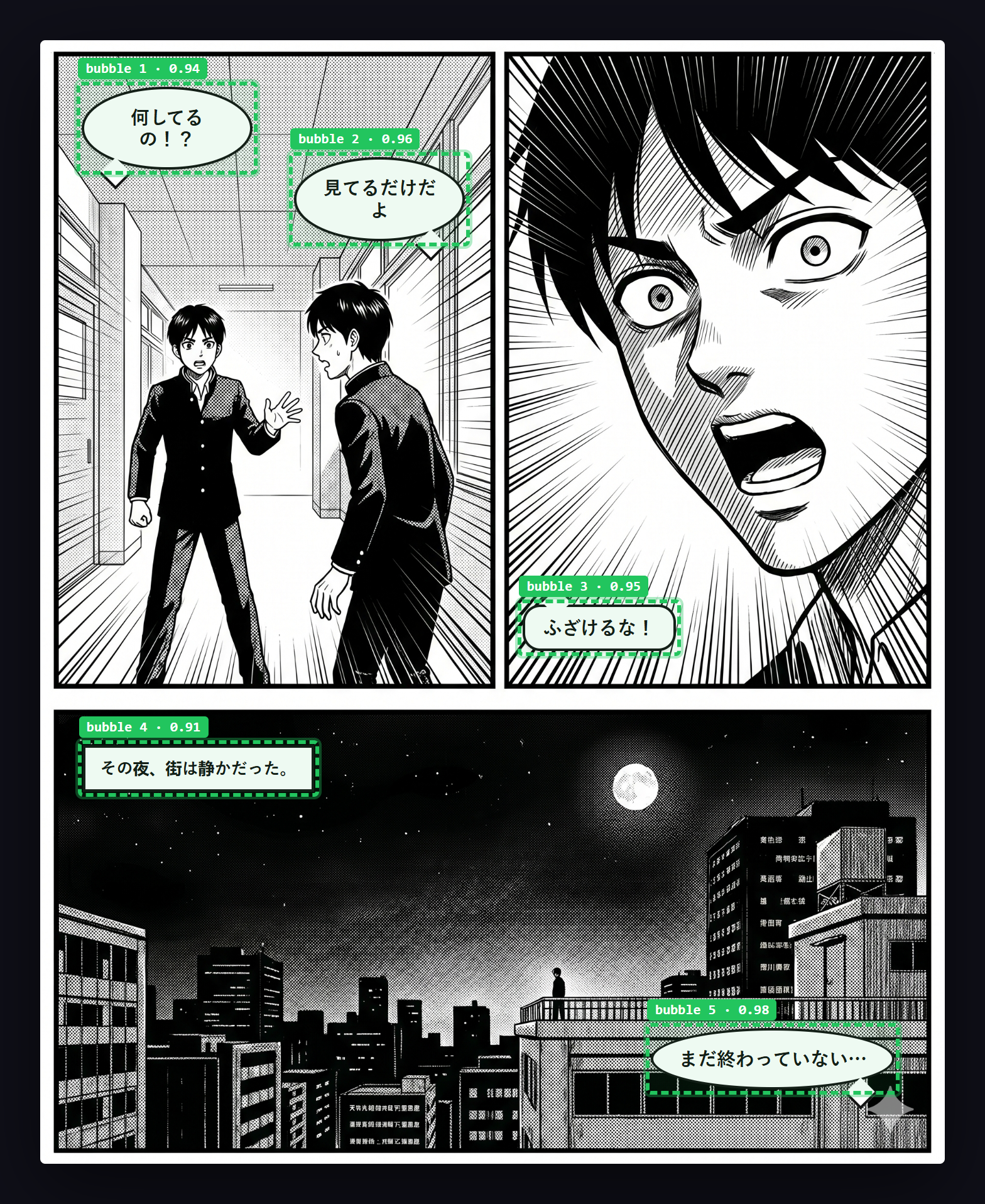
Manga Translator Z uses a two-tier bubble detection system to locate speech bubbles in manga pages — running entirely in your browser.
How Bubble Detection Works
The extension uses a two-tier detection system to locate text regions in manga images:
Tier 1: PaddleOCR ONNX (Primary)
The primary detector runs PaddleOCR v4 entirely in the browser using ONNX Runtime Web (WASM). No server calls or API requests are needed for detection.
- Preprocessing — The image is resized so the long side is 1280px, then normalized with ImageNet statistics
- Inference — The ONNX model produces a probability map of text regions
- Post-processing — Binary thresholding, connected-component labeling, and box unclipping to produce bounding rectangles
- Merging — Nearby boxes are merged (configurable merge distance, default 12px)
Tier 2: White-Region Detection (Fallback)
If the ONNX model is unavailable or produces no results, a simpler grid-based approach is used:
- Divides the image into cells
- Finds white regions (brightness > 210)
- Performs flood-fill to find connected white areas
- Returns bounding boxes around the detected regions
Strict Bubble Separation
The detector prevents merging separate bubbles across panel borders by sampling the line between two candidate boxes for dark pixels. If dark pixels (indicating a bubble outline or panel border) are found between boxes, they are kept separate.
This prevents the common problem of two speech bubbles in adjacent panels being incorrectly merged into one region.
Detection Quality Tips
- Best results — Standard manga with clear white bubbles and dark outlines
- Good results — Manhwa (Korean webtoons) with rectangular speech boxes
- May struggle — Hand-drawn text with no clear bubble boundary, text integrated into art
- Images must be at least 150px wide and 150px tall with a height-to-width ratio above 0.4
Configuration
Adjust detection settings in the Display tab under the Advanced section:
| Setting | Default | Description |
|---|---|---|
| Merge distance | 12px | Maximum distance between boxes to merge them |
| Strict bubble separation | On | Prevents merging bubbles across panel borders |